Happy , my ASVAB party people! It's Coach Anderson. If you've ever sat through a class where the screen lagged, the chat was chaos, and you couldn't tell if you were keeping up — this is the opposite of that.
For a long time we ran these classes on Zoom. It did the job — but it was someone else's tool, and it put a ceiling on how good the experience could be. So we built our own classroom, from the ground up, around one job: getting you ready for the ASVAB. I'm genuinely fired up to put it in the hands of the recruiters who send us applicants and the applicants grinding toward their score — because what it does, Zoom simply couldn't.
The ASVAB Classroom is a live web page that moves with me, in real time. When I push a problem, it's on your screen. When I start the timer, your timer starts. When I reveal the answer, you see exactly how the whole class voted. No second screen, no falling behind — just you, locked in, working the math live.
We run it twice a week, and Monday's class is free for everyone. Let me actually show you what happens in there, then walk you through every feature one by one.
A Problem, Live — Just Like in Class
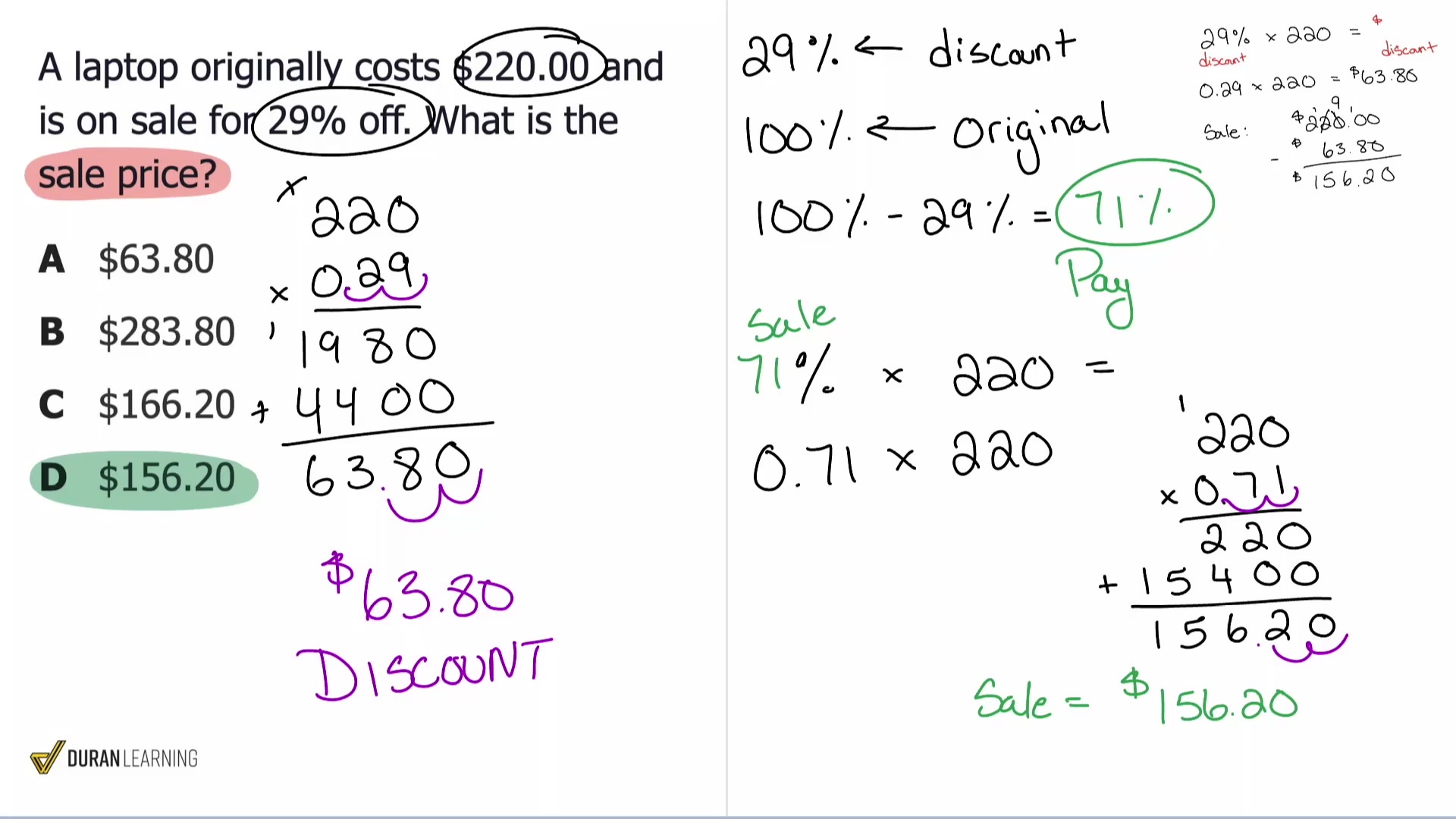
Every problem runs the same way: you lock in an answer before the timer hits zero, then I reveal it. The second I reveal, you see the correct answer, the full class distribution, and the worked explanation. Watch one play out:
29% off means you pay 100% − 29% = 71% of the original price.
0.71 × $220.00 = $156.20
That distribution is the magic. You don't just find out you got it right — you see that nine people fell for C, and we talk through why that trap is so tempting. That's where the real learning happens.
You Earn Real Progress Just by Showing Up
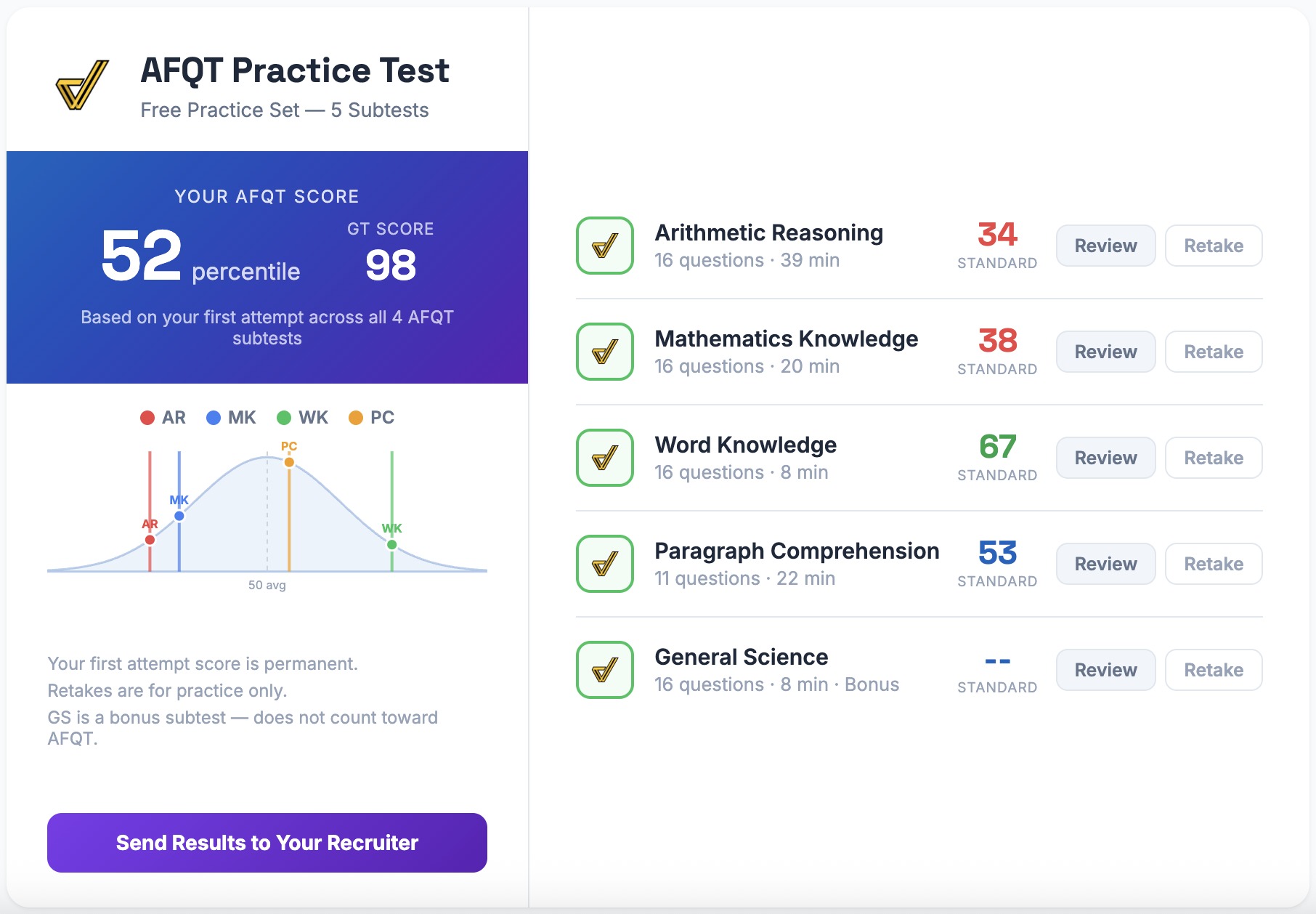
This is the part most people don't expect. Every problem I reveal in class gives you actual credit toward your course goals — the same goals on your dashboard, the same ones that unlock your unit checkpoints. Show up, answer along, and you walk out further than you walked in.
Each goal fills up as you earn credit. In Arithmetic Reasoning a goal completes at 5; in Math Knowledge, at 8. Watch a goal cross the line:

What's on the Page While You Work
The classroom isn't just a problem and a timer. The stuff that actually helps you learn the material is one tap away — in the live class and in every replay.
Mechanics — drill the skill until it's automatic
Here's the truth about the ASVAB: most missed questions aren't "I have no idea." They're "I knew it, but I was slow, or I fumbled a step." Mechanics are how you fix that.
A Mechanic is a small, interactive drill for the exact move behind a problem — not a video, something you actually do. Take percents. The Percent Formula Mechanic puts the relationship right in front of you — Percent × Original = Result — and then hides a different piece each time and asks you to solve for it. Find the result. Find the original. Find the percent. You run it over and over, right there on the page, until the move is muscle memory. When you hit that kind of problem on test day, you don't think — you just go.

Class notes you can keep
Every class has handwritten notes pages for the night's topic — the same ones I'm drawing from as I teach. Open them any time during class or a replay, flip through page by page, and download the PDF so you've got them saved on your phone for the drive to MEPS.

Missed a Class? Two Ways to Replay.
Life happens — drill nights, long shifts, a kid with a fever. It shouldn't cost you the score. Every class is recorded the moment it ends, and you get two different replay experiences. They're not the same thing, so here's exactly what each one is and when to use it.
Interactive Replay — work it, don't just watch it
This is the one that actually moves your score. Instead of watching a video straight through, you do the class again, problem by problem, at your own pace:
- Try each problem under your own timer — or no timer at all. No pressure.
- Lock your answer and it reveals the correct choice, the explanation, and my worked-solution video for that exact problem — me solving it step by step, the way I'd write it on the board.
- You earn the same goal credit as showing up live. A replay is real progress, not a consolation prize — catch up Tuesday's class on Thursday and it still counts.
- Stuck on one type? Hit "Try a new version" and that same problem regenerates with fresh numbers — identical setup, different values. Drill that one pattern three, five, ten times until it clicks. (These extra reps are just for the feel of it; they don't change your grade.)
- The notes and the Mechanics are right there too, so if a step trips you up, you fix the skill without leaving the problem.
Full Class Replay — the whole class, on a DVR
Sometimes you don't want a problem set — you just want to sit in the class you missed. Full Class Replay is the entire session, recorded end to end and synced to the page on a scrubbable playhead:
- Scrub anywhere, or jump straight to a problem from the table of contents.
- The page re-animates as it plays — the deck, the timer, the reveal — exactly as it happened live, so you catch the talk-through and the "why," not just the answers.
- Best when you want the full lesson, start to finish.

Which one should you use?
| Interactive Replay | Full Class Replay | |
|---|---|---|
| What it is | Redo the class, problem by problem | Watch the whole class back |
| Pace | Your pace, your timer | Press play, or scrub anywhere |
| Worked-solution video | One per problem | The full session |
| Earns goal credit | Yes — same as live | No (it's the full recording) |
| Retry with new numbers | Yes | No |
| Best for | Actually raising your score | Catching the lesson you missed |
Short version: Interactive Replay to get better, Full Class Replay to catch up. Most students use both — watch the full class once, then go back and grind the problems.
If you're sending applicants or students to prep, this is the easy win: point them to the free Monday class. There's nothing to install and no cost to attend.
What they do in class — live or in an Interactive Replay — turns into real, trackable progress on their courses. And because every session is recorded two ways, a missed class never becomes a reason they fall behind. They keep moving toward the score and the job they want.
Come See It Live
The best way to get it is to be in it. Catch the next free class, or pull up a replay right now and work a few problems — same prep, on your schedule.
Thank you for choosing to serve. I'll see you in class.
— Coach Anderson